Caregivers
Set Up Caregiver Sharing
Let another caregiver contribute through your own Google Drive.
It is easy to set up caregiver sharing with Baby Food Tracker & Allergies.
Premium feature
Available with Premium. Caregiver sharing uses your Google Drive. There is no app account or central Baby Allergy Tracker sync server. Child data and photos are encrypted before upload.
Steps
- Open Share / Export.
- Choose give access.
- Sign in or connect Google Drive if prompted.
- Create QR or link.
- The other device scans or opens the link.
- Confirm pairing if the app asks.
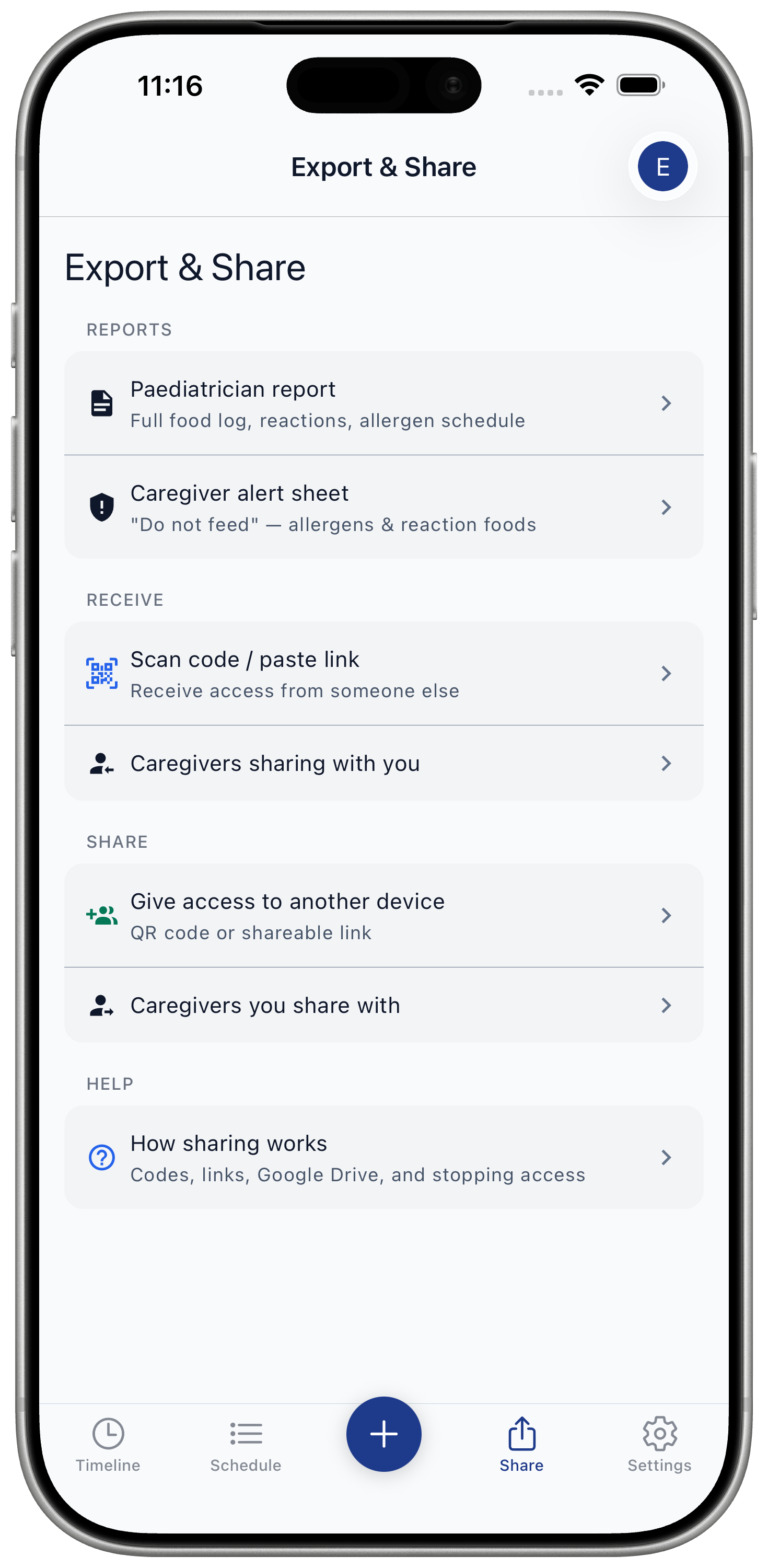
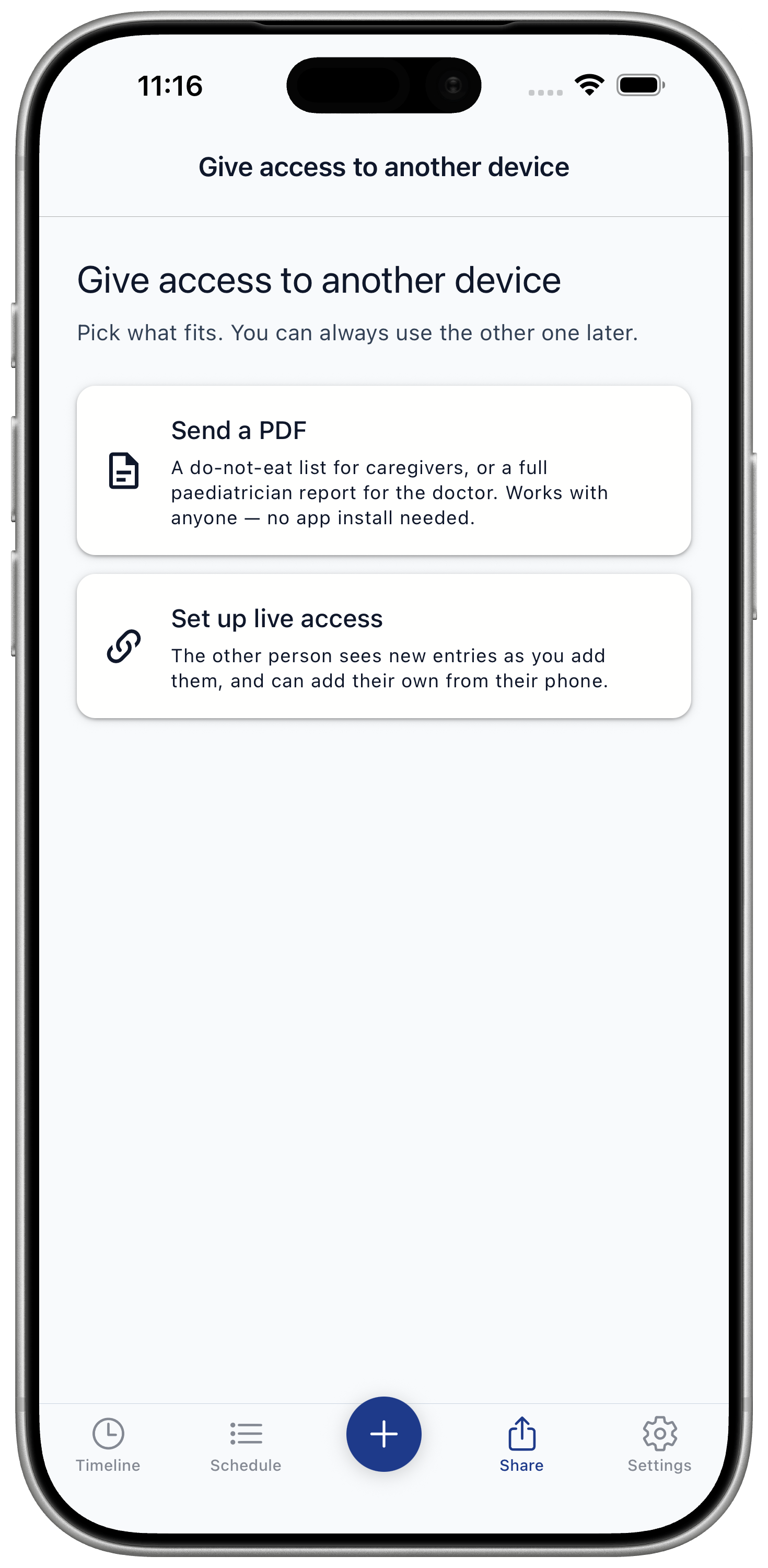
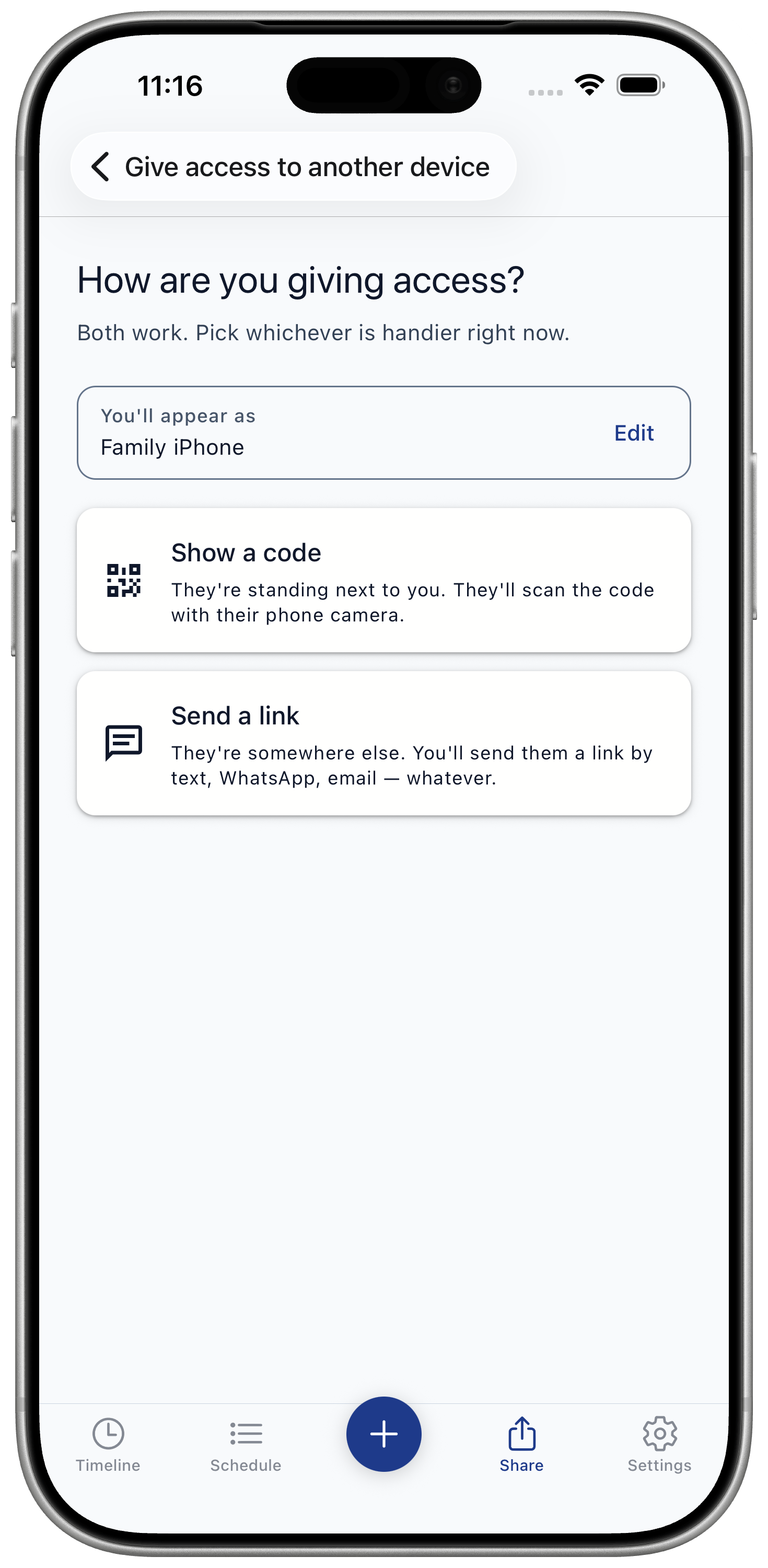
From there
The other caregiver scans the code when they are with you, or opens the link if they are somewhere else.
- They install Baby Food Tracker & Allergies if needed.
- The app opens the shared access setup.
- They connect their own Google Drive access if prompted.
- Once accepted, new foods, reactions, and notes can sync between devices.